Liquid History1.1
Publisher Description
The ultimate companion to a lifestyle of libations.
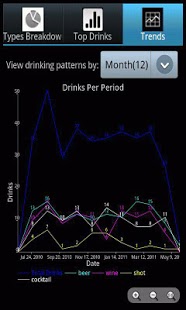
* Keep a personal record of all the alcoholic beverages you consume and view statistics and rankings of beverage choice and style.
* Discover key insights into your drinking habits and share interesting charts and graphs with your facebook friends.
* Keep real time tabs on your BAC, monitor your level of intoxication, and share this information with your social network.
* Maintain a Liquid History of your night, useful in assisting your alcohol impaired memory to reconstruct the events of the previous evening.
**Liquid History is a different sort of app than the other Blood Alcohol Calculators and Drink Record Keepers. The main purpose is to maintain interesting statistics on your drinking habits and preferences that wouldn't normally be available to you without this utility, and view and share visualizations of this data with your friends because you find it amusing.
Keywords: alcohol, beer, wine, cocktail, liquor, bac, blood alcohol, drinking diary, drinking game
About Liquid History
The company that develops Liquid History is Mavenjones. The latest version released by its developer is 1.1. This app was rated by 4 users of our site and has an average rating of 3.0.
To install Liquid History on your Android device, just click the green Continue To App button above to start the installation process. The app is listed on our website since 2011-06-13 and was downloaded 197 times. We have already checked if the download link is safe, however for your own protection we recommend that you scan the downloaded app with your antivirus. Your antivirus may detect the Liquid History as malware as malware if the download link to com.mavenjones.liquidhistory is broken.
How to install Liquid History on your Android device:
- Click on the Continue To App button on our website. This will redirect you to Google Play.
- Once the Liquid History is shown in the Google Play listing of your Android device, you can start its download and installation. Tap on the Install button located below the search bar and to the right of the app icon.
- A pop-up window with the permissions required by Liquid History will be shown. Click on Accept to continue the process.
- Liquid History will be downloaded onto your device, displaying a progress. Once the download completes, the installation will start and you'll get a notification after the installation is finished.
Program Details
System requirements
Download information
Pricing
Version History
version 1.1
posted on 2011-06-13
Fixed a couple minor bugs.,Clarified the view for Adding A New Drink Choice.
version 1.0
posted on 2011-05-31
Several fixes and updates
